Auto, Detail, Smooth
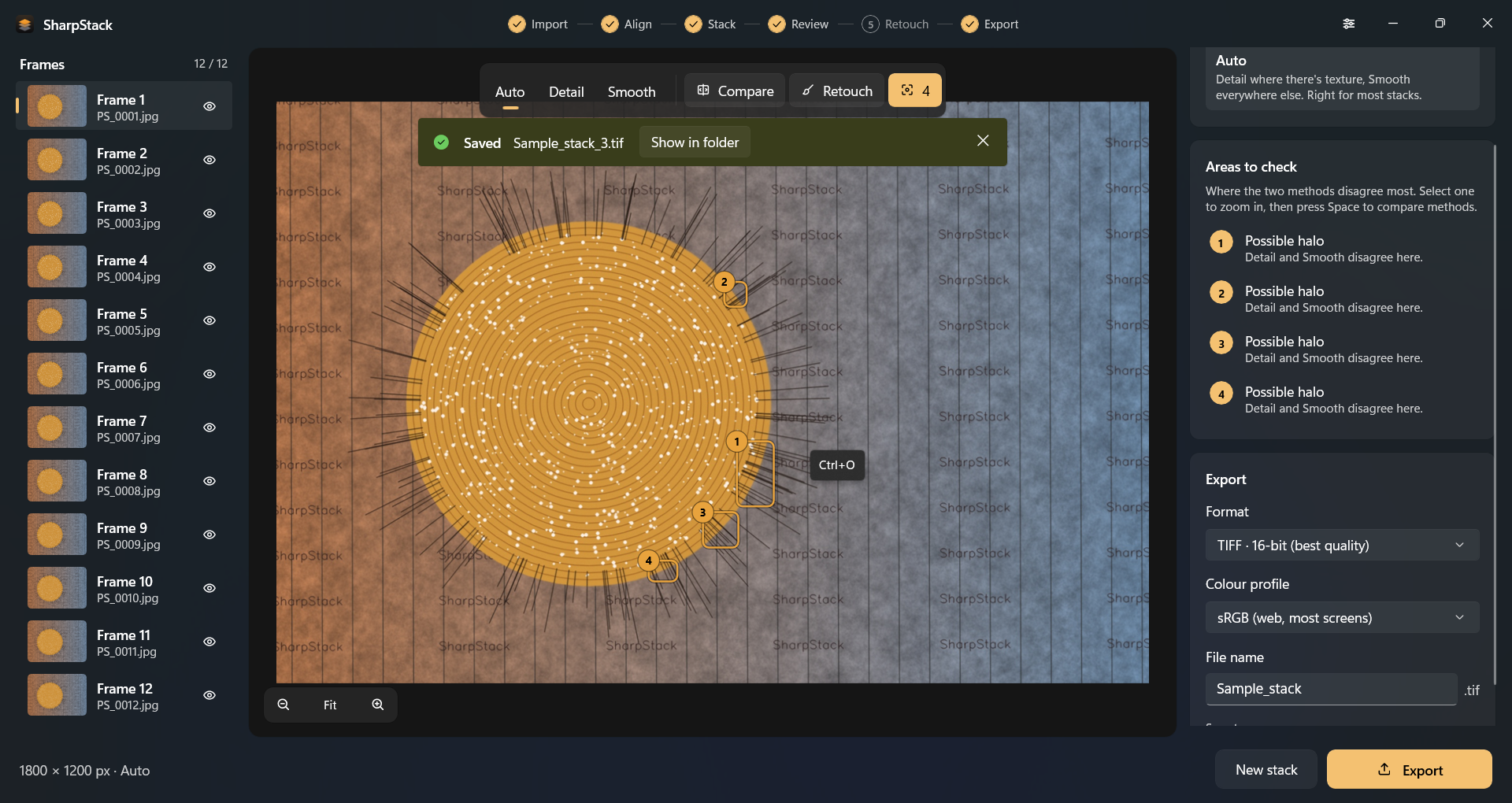
Auto is the default. Detail holds hair, bristles, and fabric. Smooth keeps continuous surfaces clean. Switch between them instantly and compare before you export.
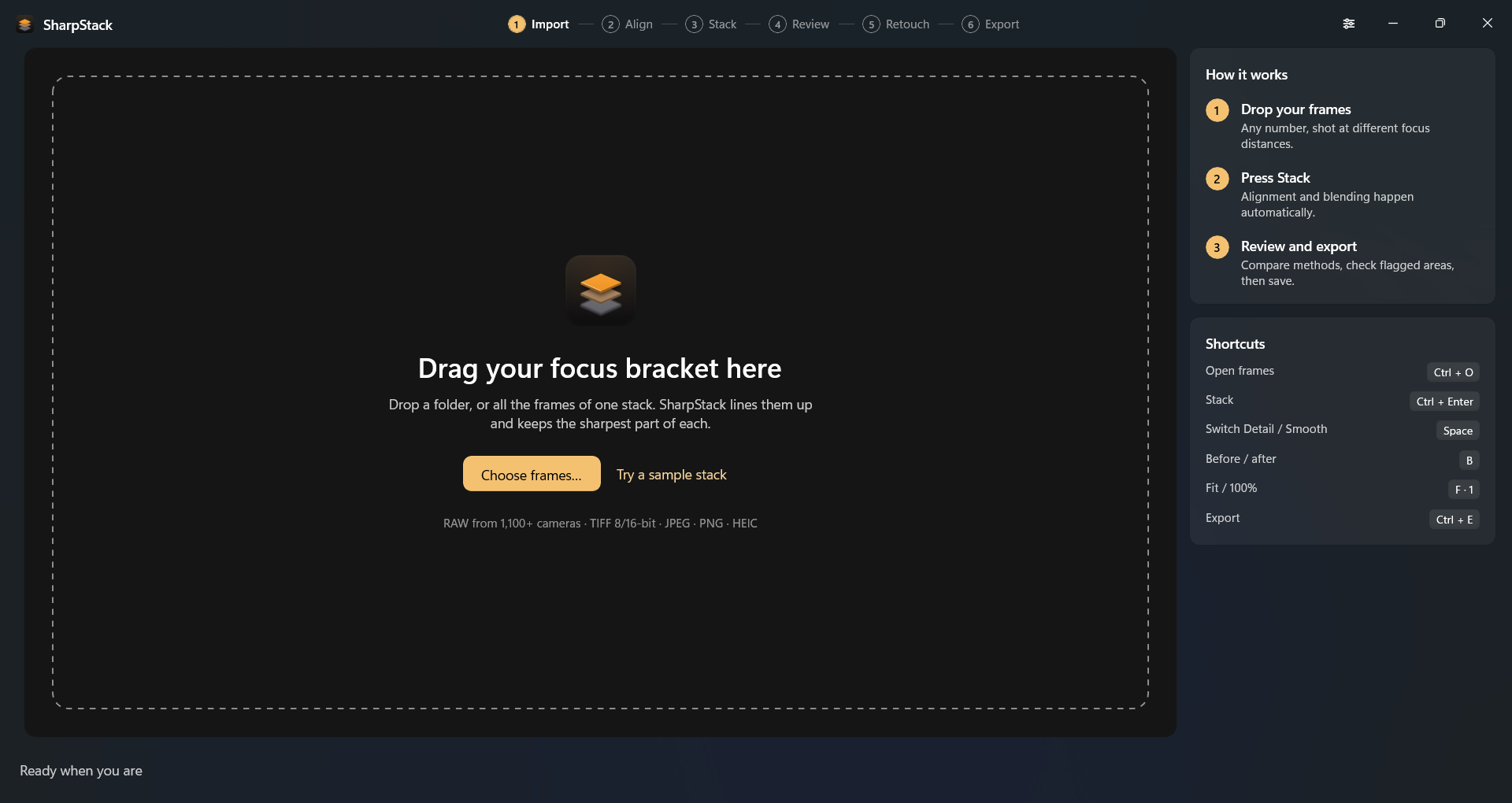
Alignment, blending, and a sensible method are handled on the PC. Then review, retouch, and export.
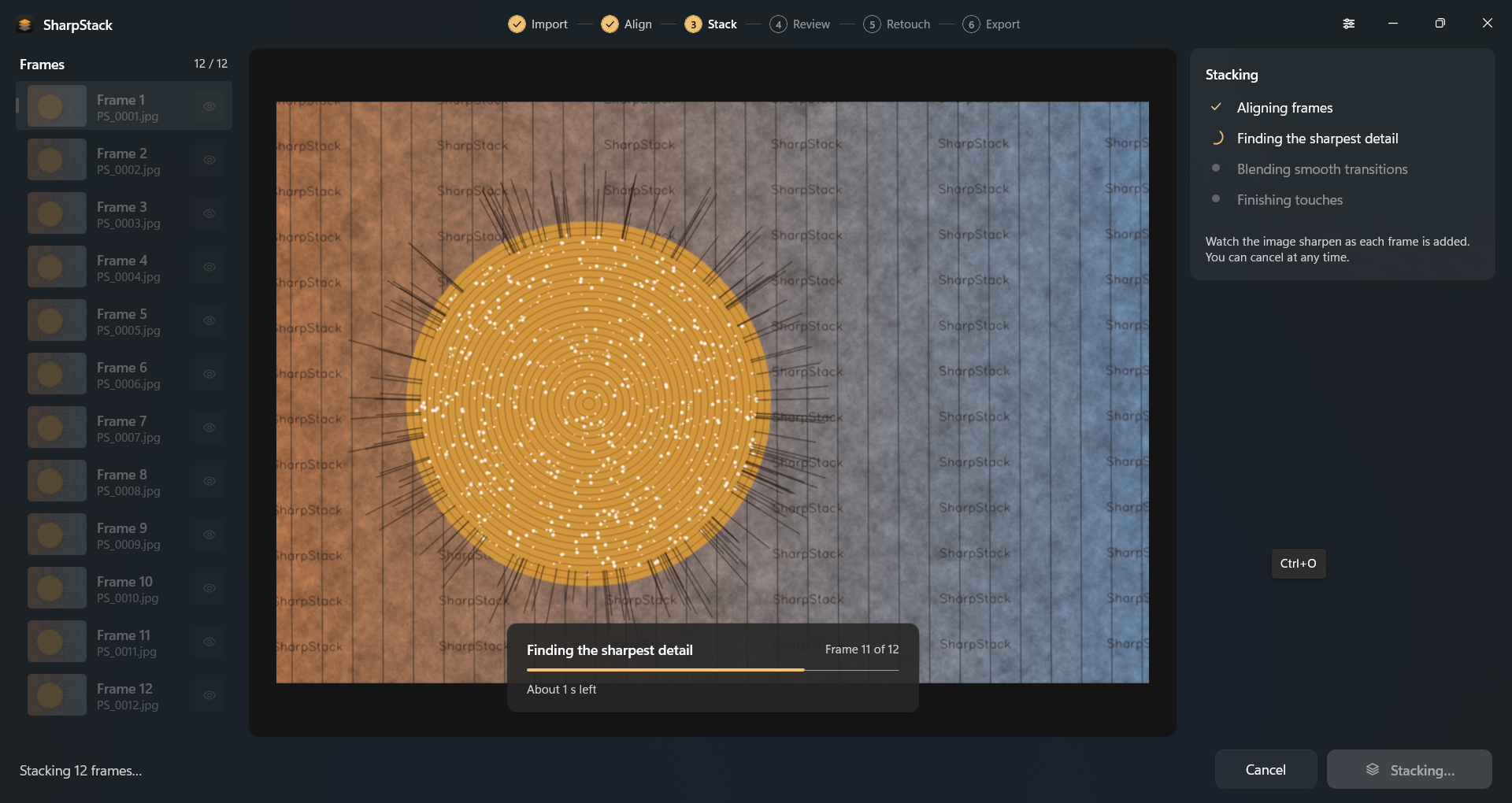
Macro, product, jewelry, landscape, and microscopy stacks follow the same path: drop the frames, press Stack, export.
Add a folder or the frames of one stack. RAW from 1,100+ cameras, plus TIFF (8-bit and 16-bit), JPEG, PNG, and HEIC. A RAW and JPEG pair from the same shot is imported once.
Auto lines the frames up first, including the shift, rotation, and magnification change that a focus rail introduces. Alignment and blending stay on the machine.
Auto is the default blend. Detail keeps fine texture. Smooth keeps metal, glass, and jewelry clean. Wipe between the source frame and the stack, zoom in, and flag spots to check.
Paint from the sharpest frame under the brush, from any frame, or from the other method. Brush size, softness, and strength are adjustable. Every stroke can be undone.
16-bit or 8-bit TIFF, JPEG, or PNG, in sRGB, Adobe RGB, or ProPhoto, with the color profile embedded. Camera EXIF is carried over. Location data is left out.
Auto is the default. Detail holds hair, bristles, and fabric. Smooth keeps continuous surfaces clean. Switch between them instantly and compare before you export.
When a spot needs a fix, paint it from the sharpest frame, any frame, or the other method. Size, softness, and strength are adjustable, and every stroke can be undone.
A folder of shoots becomes a batch. Mixed subjects get a suggested split. Deep stacks stream to disk. If the app closes unexpectedly, it restores the frames, the settings, the stack, and every retouch stroke. No uploads. No account.
One-time purchase. 100% local processing. English, German, and Croatian.
| Input formats | RAW from 1,100+ cameras, TIFF (8-bit and 16-bit), JPEG, PNG, and HEIC. A RAW and JPEG pair from the same shot is imported once. |
|---|---|
| Alignment | Auto alignment for shift, rotation, and the magnification change a focus rail introduces. |
| Stacking methods | Auto, Detail, and Smooth, with instant comparison, before/after wipe, zoom, and flags for areas to check. |
| Retouch | Paint from the sharpest frame under the brush, from any frame, or from the other method. Adjustable size, softness, and strength. Undo every stroke. |
| Export | 16-bit or 8-bit TIFF, JPEG, and PNG. sRGB, Adobe RGB, or ProPhoto with the color profile embedded. Camera EXIF kept, GPS left out. Naming templates for a batch of products. |
| Batch | Process a folder of shoots. If one folder holds several subjects, SharpStack suggests how to split it. |
| Deep stacks | Frames stream to disk so a long bracket does not have to fit in memory. Crash recovery restores frames, settings, the stack, and retouch strokes. |
| Privacy | Photographs never leave the machine. No account, no upload, no subscription. |
| System | Windows 10 and Windows 11, 64-bit. English, German, and Croatian. |